
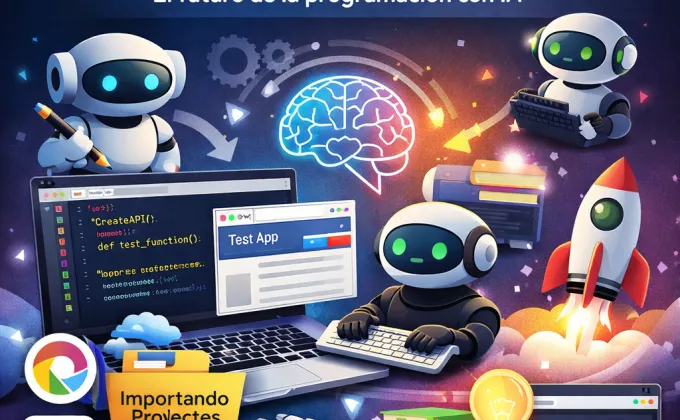
Google Antigravity is Google's attempt to take software development to a more "agentic" stage, where artificial intelligence not only suggests code but acts as an agent that thinks, plans, and executes tasks within the programming workflow. Instead of being just a traditional IDE, Antigravity presents itself as a platform where you define the goal and AI collaborates with you to achieve it, making technical decisions along the way.
In simple terms, what is it? It's an AI-assisted development environment. You don't just tell it to "write this function," but things like "create a basic API," "review this project," or "find bugs and suggest improvements." Antigravity breaks down that goal into steps, generates code, runs tests, and adjusts the results. The central idea is that the programmer stops micromanaging every line and starts directing the work.
Among its main features is the ability to work with agents that understand the complete context of the project, not just a single file. It can analyze repositories, create or modify multiple files, generate automated tests, and even simulate usage flows to detect errors. Furthermore, being language-independent, it's useful for both backend and frontend development, scripting, and automation, without locking you into a single technology.
One particularly interesting feature is that Google Antigravity allows you to export and reuse content created in other agentic environments like Cursor or Windsurf. This means you don't have to start from scratch: you can bring your context, prompts, project structures, or even previously generated code and continue working on it. For those already using these tools, Antigravity becomes a natural extension of the workflow, not a sudden replacement.
The free version is designed as a realistic entry point. It includes access to basic agents, limited task execution, and controlled resource usage. With it, you can experiment with code generation, reviewing small projects, guided learning, and prototyping. For students, junior developers, or developers who want to explore the agent-first approach, it's more than enough.
However, the free version does have clear limitations. You can use agents, but with limitations on complexity, number of executions, and depth of analysis. It's not designed for large projects, constant automation, or demanding production environments. It also lacks some advanced customization options and resource prioritization. In short: it's for learning, testing, and improving, not for scaling complex commercial products.
For a junior programmer, Antigravity can feel like an ever-present mentor. It helps you understand how a project is structured, how responsibilities are organized, and how tests are written. You can ask it to explain decisions, refactor code to best practices, or show several ways to solve the same problem. Used effectively, it greatly accelerates learning without replacing critical thinking.
Prompt Idea in Antigravity for Junior Programmer
"I'm a beginner developer in Vue 3 and I'm trying to move away from the Options API and towards Script Setup (Composition API), but I'm a bit confused.I need help creating a 'Reusable Autocomplete Search' component with these features:
Debounce Input: I want the system to wait 500ms after the user types before calling an API (using https://jsonplaceholder.typicode.com/users as an example) to avoid overloading the server.
Loading Status: I want a 'Loading...' icon (spinner) to appear while the user is searching.
Communication with the Parent: The most difficult part for me: I want to be able to use this component in any form with `v-model="selectedUser"`. How do I correctly define `defineProps` and `defineEmits` so that the v-model works bidirectionally? Please provide the complete code in a single .vue file using TailwindCSS." "Make it look good, and explain to me step by step the logic of the watch or watchEffect you use to detect changes in the input."
For a more experienced programmer, the value lies in productivity and exploration. Antigravity can handle repetitive tasks, generate drafts, validate ideas, or investigate technical alternatives in a short amount of time. It doesn't make decisions for you, but it does reduce friction and allows you to focus on architecture, design, and real-world problems.
Prompt Idea in Antigravity for Senior Programmer
"Act as a Software Architect specializing in Laravel and High Performance.I am designing the real-time event architecture for a SaaS application that handles 20,000 monthly active users, with peak concurrency of approximately 2,000 simultaneous socket connections.
Current stack: Laravel 12, PHP 8.4, MySQL 8, Redis.
I need you to propose a detailed technical solution for implementing scalable broadcasting, covering these three critical points:
Driver Selection: Provide a quick technical comparison between Laravel Reverb (self-hosted) vs. Soketi vs. Pusher. Recommend the most cost-effective and scalable option for our infrastructure (AWS EC2), justifying the resource usage (RAM/CPU).
ShouldBroadcast Optimization: Provide a design pattern to decouple the business logic from the broadcasting process." The event broadcast. I want to avoid blocking the main PHP thread while large payloads are serialized. Give me an example of how to implement queued events with priorities in a separate Redis queue (redis-queue:high).
Presence Management (Presence Channels): We have a live chat. Explain how to optimize authentication for private channels (routes/channels.php) to avoid 2,000 SQL queries at once when users reconnect en masse after an outage. Would you suggest caching in Redis for authorization? Show a code example.
Deliverable: I don't want basic explanations. Give me the Supervisor/Horizon configuration, the Nginx configuration block for WebSockets (Proxy Upgrade), and the code for the optimized Event class.
Finally, using Antigravity to learn something new is one of its most natural uses. You can ask it to create a minimal project with an unfamiliar technology and explain it to you step by step as it modifies it. You learn about real code, not just theory, and you can iterate quickly. In that sense, Antigravity doesn't make you dependent: it helps you learn better and faster.
Prompt Idea at Antigravity for Creating a Step-by-Step Learning Path
"Act as my senior software engineering mentor. I want to learn [Programing language here: Javascript / PHP / Laravel / Node.js / Vue.js / Nuxt / etc.] in a solid and professional manner.Design a Step-by-Step Learning Path for me. My current level is: [Insert here: Beginner / Intermediate / I'm coming from another language].
The plan must include:
Thematic Modules: Divide the learning into weeks or logical stages (from basic to intermediate-level topics).
Free Resources: Recommend official documentation, YouTube channels, or free interactive courses for each topic.
Practical Exercises: Give me a concrete coding exercise idea to practice each concept (not just theory).
Final Project: Suggest a real-world application that I can build for my portfolio using everything I've learned. Focus on modern best practices." and avoids outdated content."
In short, Google Antigravity isn't magic or a replacement for programmers. It's a new way of working with AI as a partner, where you can leverage what you've already done in tools like Cursor or Windsurf and take it a step further. Used correctly, it can become a key ally in improving your technical skills, regardless of the language or your current level.
